Prepare your trade
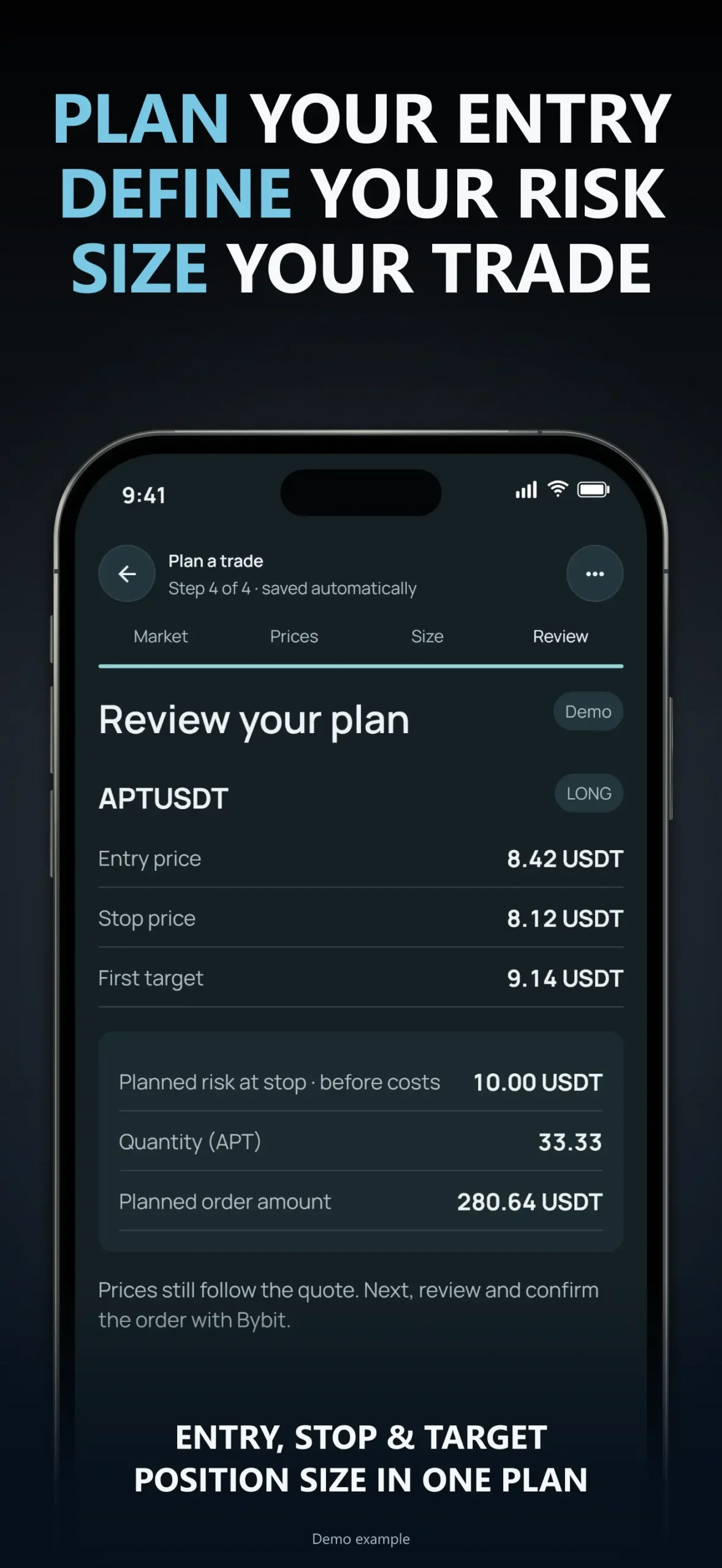
Set your entry, stop and target. Calculate position size and planned risk before deciding how to proceed.
Trade planning, execution & journaling for iPhone
Wickly brings your trade plan, Bybit execution and trading journal together in one focused iPhone app.
Prepare your entry, stop and target, review supported orders before sending them, and follow your positions through to your post-trade review. Available in English and Dutch.
Currently in testing. Public availability has not been announced.

Wickly: Trade Planner
Designed by ScopeTools
Inside Wickly
See the plan, the execution and the outcome in one connected workflow.
Demo screens and illustrative journal data. Select an image to view it in full.
Built around your trading process
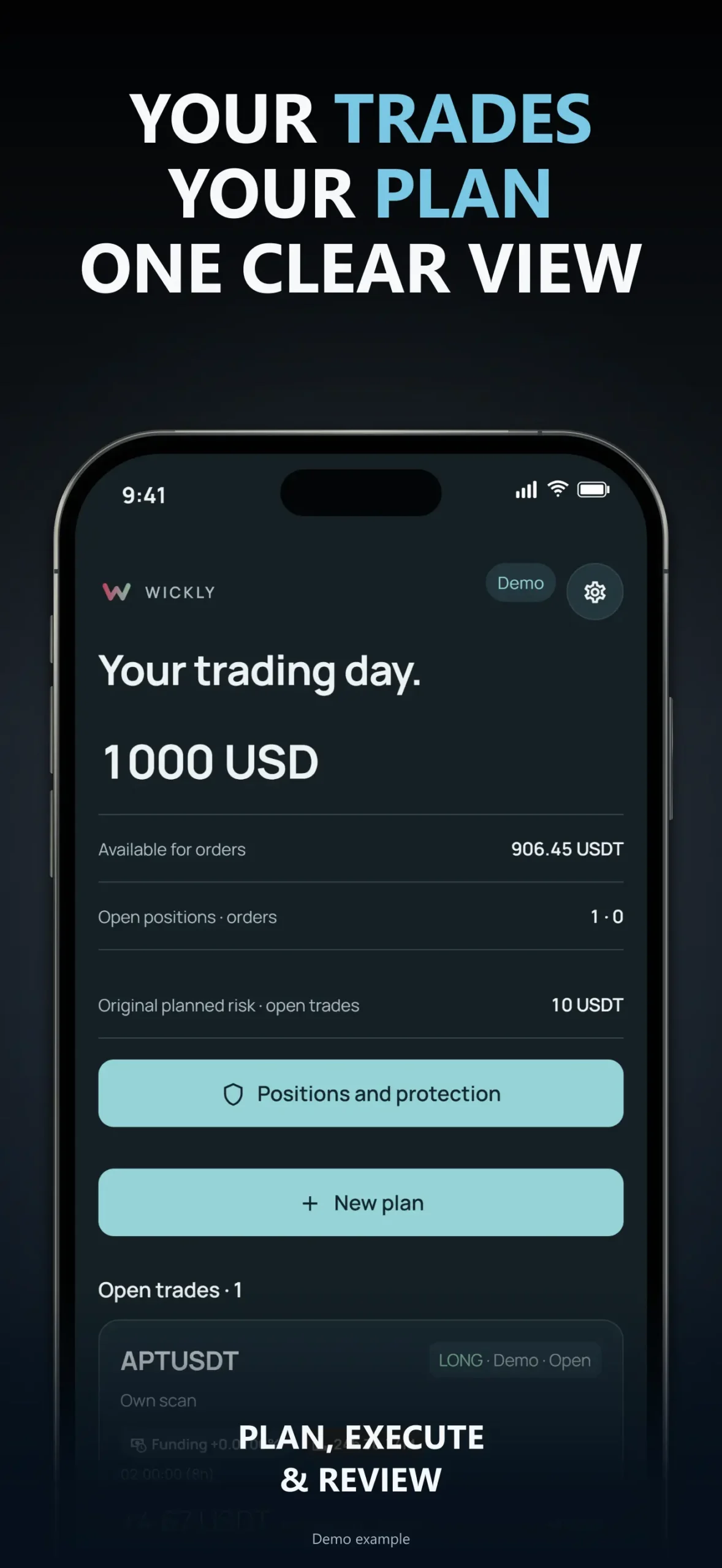
Set your entry, stop and target. Calculate position size and planned risk before deciding how to proceed.
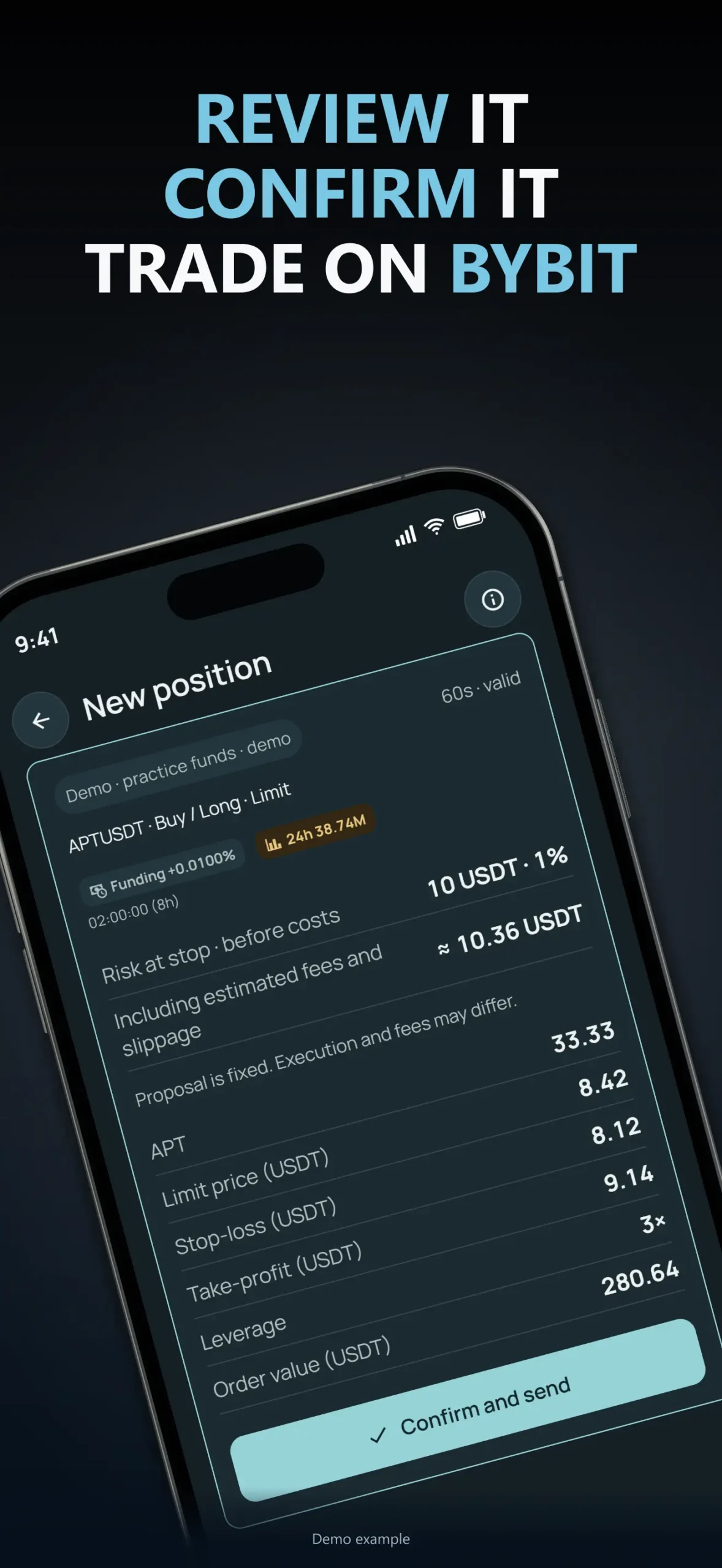
Connect your own Bybit account and submit supported futures orders after reviewing and confirming the details. Track the difference between an order being sent and a trade being filled.
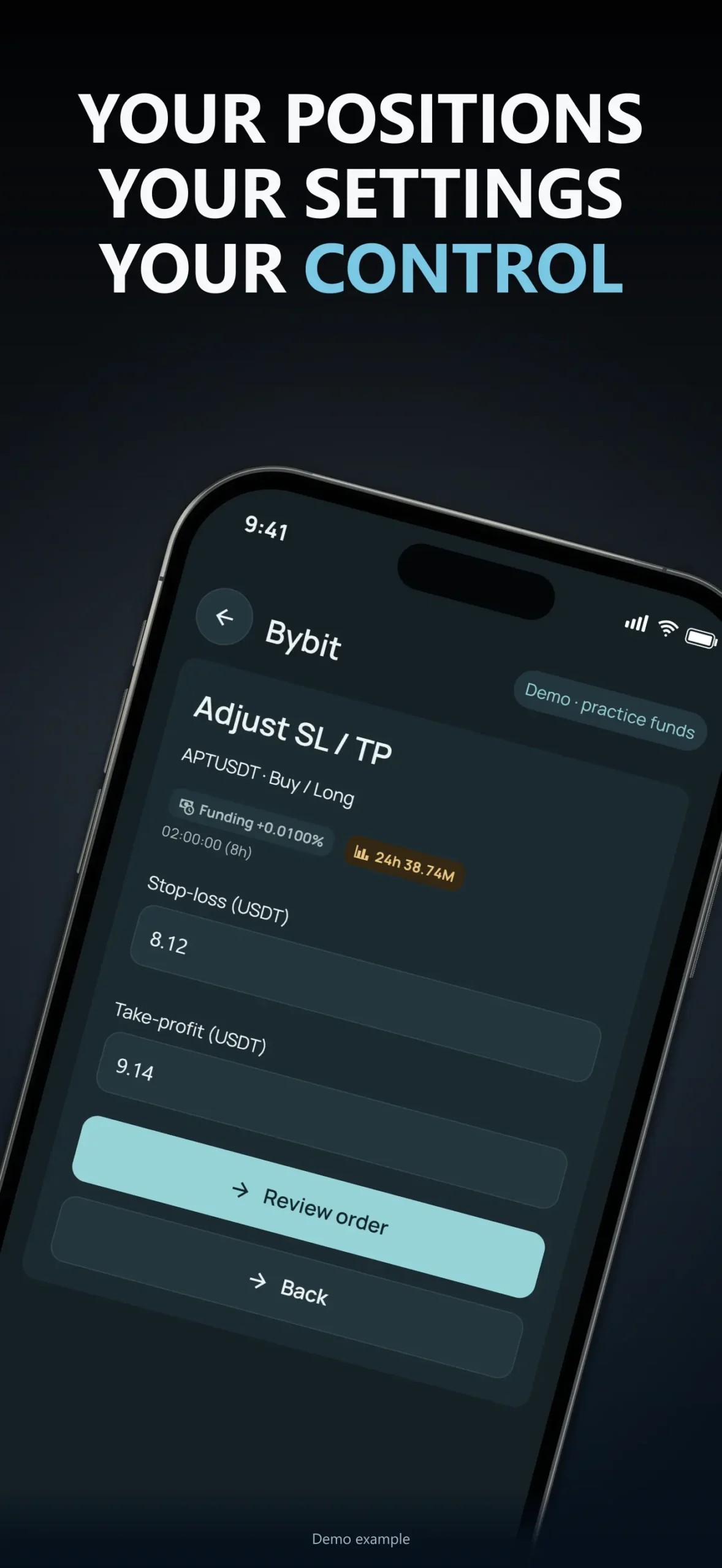
Follow open positions and manage supported stop-loss, take-profit and trailing-stop settings. Review each change before sending it to Bybit.
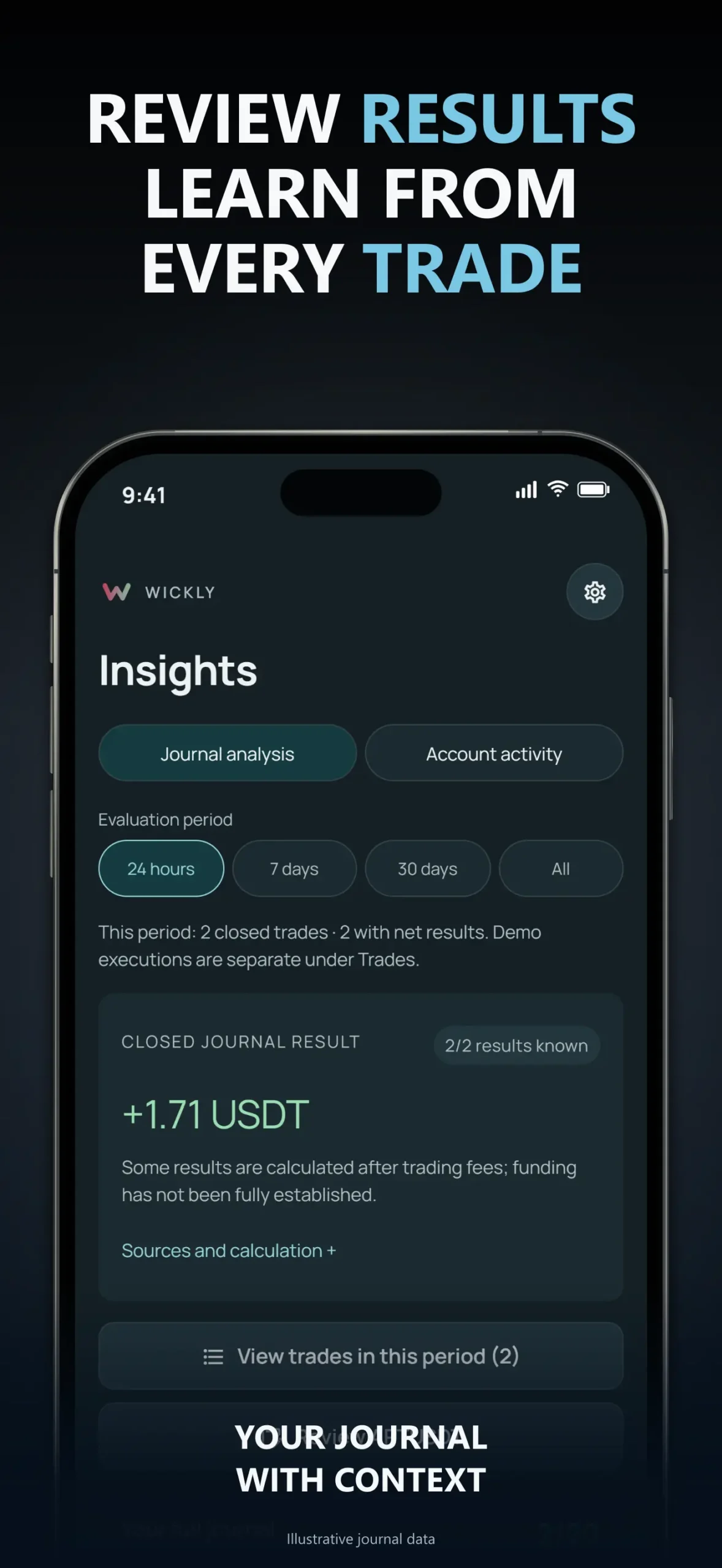
Bring plans, executions, results and known costs together. Add your analysis, notes and optional screenshots to preserve the context behind each decision.
Record whether you followed your plan, evaluate the outcome and capture what you want to improve next time.
Review results by period and open the underlying trades. Export your journal as JSON or CSV when you want your own copy.
Record your own technical and fundamental assessments. Results include known costs; missing information remains unknown. Choose English or Dutch, with light and dark appearance.
From intention to reflection
Define your setup and check the risk and position size.
Choose the right environment, review the order details and confirm before sending a supported order to Bybit.
Monitor your position, record the outcome and complete your review.
Start with your own process
4 live trades
€49.99
One-time purchase. No subscription.
Unlock unlimited live trades for your Wickly account. The Lifetime screen appears when you start a fifth real-money trade without an active purchase.
Belgian base price. Apple displays the applicable price for your region before purchase. You pay for Wickly access, not trading funds. Exchange fees remain separate.
Purchase and restore access through Apple in Wickly.
Reaching the free-trade limit does not block protection or closure of existing positions. Closing or deleting a trade does not reset the free allowance. Access still depends on your connection, Bybit and supporting services.
Your account, your controls
Wickly stores account-linked plans, trading records and reviews in the cloud. Your personal Bybit connection supports the features you choose to use.
Export your journal, disconnect your Bybit connection or delete your Wickly account using the app's controls. Disconnecting or deleting Wickly does not close orders or positions on Bybit.
Account-linked plans, executions and reviews.
JSON or CSV for your own copy. Image files are not included in a JSON export.
Manage your account through the app’s controls.
A few useful answers
Yes. With a personal Bybit connection, Wickly can submit supported futures orders after you review and confirm them. Availability depends on your Bybit account, permissions, region and supported environment.
Yes. Demo trading remains unlimited and free. Demo results do not guarantee real-money outcomes.
Starting a fifth real-money trade requires Wickly Lifetime. The allowance is counted across the account, not just open positions. Managing the protection or closure of existing positions is not blocked by this limit.
No. It is a one-time in-app purchase through Apple. Purchase restoration is available in Wickly.
Wickly helps you organize and carry out your own decisions. It does not promise profits or provide personalized investment advice.
Plan, execute and review with Wickly — designed for iPhone, in English and Dutch.
Contact ScopeToolsCurrently in testing. Public availability has not been announced.